

In RuneScape Classic, tt is possible to chat in public and private using different text effects. Doing so affects how the chat appears above the character's head and inside the chat history.
Coloured text
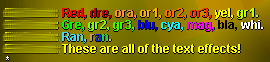

Some possible colours used in combination.
Each colour has a corresponding three-letter code. To type in a different colour, type @xxx@, replacing the x's with the three-letter code. As soon as the code is typed, it will disappear from view and the cursor will change colour to confirm the change. The code can be changed by using the backspace key on your keyboard.
It is possible to change the font colour several times in the same message to create a message with several different colours.
| Code | Result |
|---|---|
| @red@ | Red Red |
| @lre@ | Light red Light red (same as orange) |
| @dre@ | Dark red Dark red |
| @ora@ | Orange Orange (same as light red) |
| @dor@ | Dark orange Dark orange |
| @or1@ | Orange 1 Orange 1 |
| @or2@ | Orange 2 Orange 2 |
| @or3@ | Orange 3 Orange 3 |
| @yel@ | Yellow Yellow |
| @gre@ | Green Green |
| @dgr@ | Dark green Dark green |
| @gr1@ | Green 1 Green 1 |
| @gr2@ | Green 2 Green 2 |
| @gr3@ | Green 3 Green 3 |
| @blu@ | Blue Blue |
| @dbl@ | Dark blue Dark blue |
| @bl1@ | Blue1 Blue1 |
| @bl2@ | Blue2 Blue2 |
| @bl3@ | Blue3 Blue3 |
| @cya@ | Cyan Cyan |
| @dcy@ | Dark cyan Dark cyan |
| @mag@ | Magenta Magenta |
| @bla@ | Black Black |
| @whi@ | White White |
| @ran@ | Randomly changes colours quickly |
Position
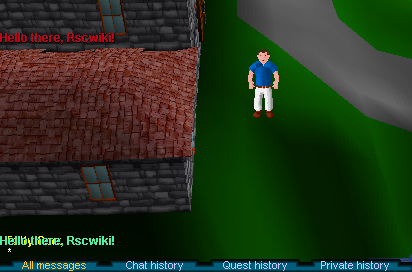

Changing text position and colour with ~000~ and @ran@.
It is also possible to change the location of text within the chat area and that which appears above a character's head. To do so, type ~xxx~, replacing the x's with any number from 000-999. This will reposition the text horizontally, where ~000~ is the far left edge of the program window. The use of colours & position can be done together.
Trivia
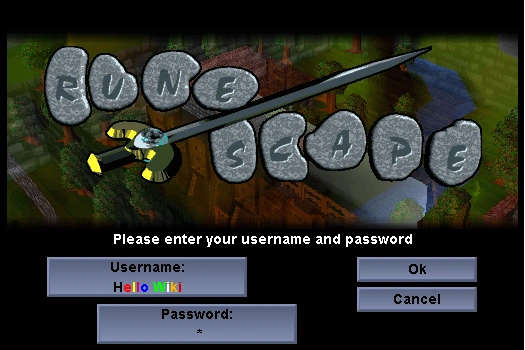

Colour effects on the login screen.
- Colour effects can be used on the login screen.
- Completion of the Tourist Trap quest presents a uniquely designed quest completion message coloured green.
- Within the Underground Pass, the player receives various messages in red enticing them to join Iban.